Best Stargazing Apps: The 3 to Install Before You Go Out
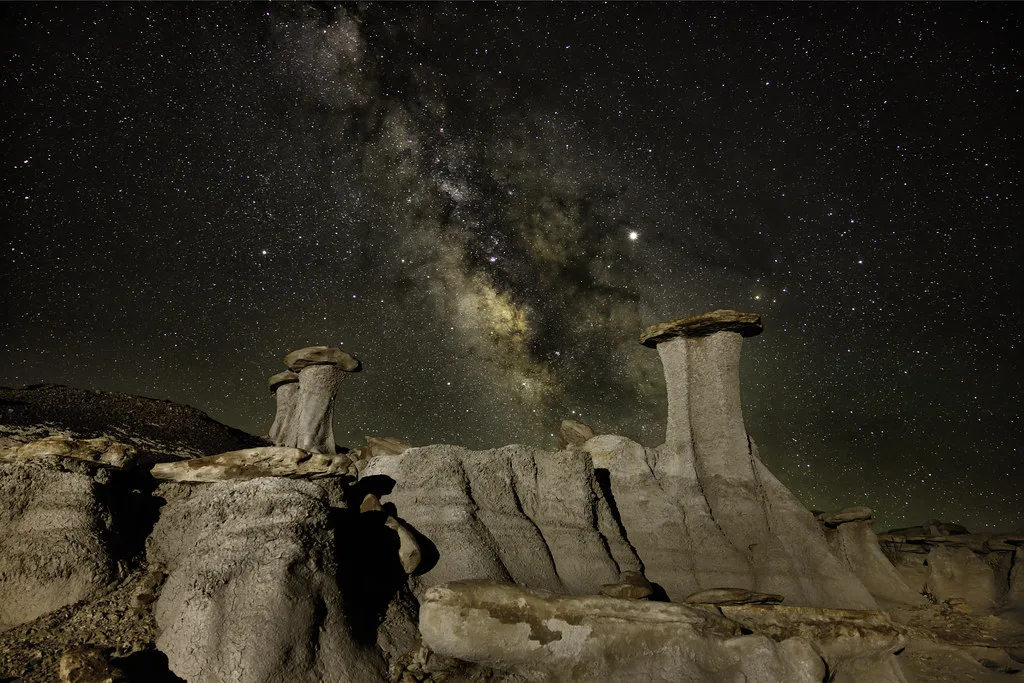
Almost every list of the best stargazing apps makes the same mistake: it names one app and stops. Under British skies that is the wrong shape of answer. You need three things, and only one of them is a star map. You need to know what is up, whether you will see any of it through the cloud, and whether anything unusual is happening tonight. Install one app for each job and you will actually get outside more often, which does more for your observing than any amount of database depth.
Here is the stack, what each layer costs, and where the paid upgrades stop being worth it.
Layer one: a planetarium app to identify what you are looking at
This is the app most people mean. Point the phone at the sky, it names the star.
Stellarium Mobile is the default recommendation and it is free. The free version carries around 2.5 million stars offline, which is more than you can see through any amateur telescope, plus a night mode that turns the screen red so you keep your dark adaptation. Offline matters more than it sounds: the best British observing sites have no phone signal, and an app that needs a connection to draw the sky is useless in a Northumberland field.
The paid tier, Stellarium Mobile Plus, adds the Gaia DR2 catalogue of over 1.4 billion stars when you are connected, telescope control through the Stellarium Telescope Server protocol, ocular simulation that shows the view through a specific telescope and eyepiece pairing, satellite pass predictions and 3D object views. That ocular simulation is the feature worth paying for if you own a scope, because it tells you in advance whether a target will actually fit in your field of view. Our eyepiece field of view calculator does the same maths in a browser if you would rather not subscribe.
SkySafari is the serious alternative, now at version 8, sold in Basic, Plus and Pro editions rather than as a subscription. Pro covers over 100 million stars, 3 million galaxies to 18th magnitude and 750,000 solar system objects, and adds plate solving, image import and telescope control over ASCOM, INDI, SkyFi, Celestron WiFi and StarSense Explorer. If you own a GoTo mount, this is the one that talks to it properly. If you do not, the Pro database is more than you will ever use and Basic or Plus is the sane buy.
Sky Tonight, Star Walk 2 and SkyView Lite all do the simpler point-and-identify job with better augmented reality and less clutter. If you are buying the app for a child or a complete beginner, these land better than Stellarium does. See also our best telescope for kids picks.
Which to install: start with free Stellarium Mobile. Move to SkySafari only when you have a mount to control or you have outgrown the free catalogue, which takes most people a long time.
Layer two: a cloud forecast built for astronomers
A general weather app tells you it is cloudy. That is not the question. The question is whether high cloud will clear by eleven, because that is when your target clears the neighbour’s roof.
Clear Outside, run by the UK retailer First Light Optics, is the answer and it is free. It gives a seven-day hourly forecast broken into low, medium, high and total cloud cover, updated hourly, drawing on Met Office data across thousands of UK locations. It also shows moonrise and moonset with the phase, sunrise and sunset, the three darkness bands (civil, nautical and astronomical) and ISS passes. The full forecast also runs in a browser at clearoutside.com if you want to check before you decide to go out at all.
Splitting cloud into three altitudes is the bit that matters. Thin high cloud will still let you observe the Moon and bright planets. Low cloud ends the session. One number averaged across all three tells you nothing useful.
Moon phase belongs in the same decision. A full Moon washes out faint deep sky objects as thoroughly as suburban street lighting does, so plan galaxies and nebulae for the dark half of the month and save the Moon and planets for the bright half. Our Bortle scale light pollution calculator covers the other half of that equation.
Layer three: aurora alerts, because you live in Britain
This is the layer American roundups leave out, and for UK observers it is the one that produces the memorable nights.
AuroraWatch UK is free and run by the Space and Planetary Physics group at Lancaster University. It is not a forecast scraped from a US space weather feed. It reads magnetometers physically located in the UK, detects the geomagnetic disturbance that accompanies an aurora, and alerts you at a threshold you set yourself. The app shows real-time geomagnetic activity with a 24-hour chart, and a map combining current activity with cloud cover so you can judge whether it is worth stepping outside. The service and its alert levels are documented at aurorawatch.lancs.ac.uk.
Set the alert to the amber level rather than the highest one. Red alerts are rare enough that you will see almost nothing, and during an active solar period amber nights are frequently visible from northern England and Scotland, and occasionally much further south.
What none of these apps will do for you
Three honest limits worth knowing before you download anything.
Augmented reality overlays are approximate. Phone compasses drift, especially near a metal tripod or a car, so an AR arrow pointing at “Saturn” can be several degrees off. Use AR to get roughly oriented, then confirm against the actual star pattern. Learning to read a star chart properly takes an evening and never drifts.
An app will not find a faint object in your eyepiece. It tells you where the object is in the sky; getting it into a narrow field of view is a separate skill, covered in how to find objects with a telescope.
A bright phone screen destroys your night vision in seconds, and it takes twenty minutes or more to get it back. Turn on the app’s red night mode before you go outside, and drop the screen brightness as far as it will go. This single habit makes more difference to what you can see than switching apps ever will.
New to this entirely? Start with how to start stargazing, then come back and install the stack.
Frequently asked questions
What is the best free stargazing app? Stellarium Mobile. The free version carries roughly 2.5 million stars offline, has a proper red night mode, and works with no phone signal, which matters at genuinely dark UK sites.
Are paid stargazing apps worth it? Only once you own a telescope. The paid features that justify the cost are telescope control and eyepiece field of view simulation. If you observe with your eyes or with binoculars, the free tiers cover everything you need.
Which stargazing app works offline? Stellarium Mobile works offline with a reduced dataset, as does SkySafari. Check this before you drive to a dark sky site, because most AR-first apps expect a connection and the best observing spots have no coverage.
What app tells you if it will be clear enough to stargaze? Clear Outside. It gives hourly low, medium and high cloud cover separately for seven days from Met Office data, plus moon phase and the astronomical darkness window, which a general weather app does not.
Is there a UK app for northern lights alerts? Yes. AuroraWatch UK, from Lancaster University, alerts you based on magnetometers in the UK rather than generic space weather data, and it is free on both iOS and Android.
Do stargazing apps drain your phone battery? Heavily, especially with AR and the screen on. Cold air makes it worse, and British observing is usually cold. Take a power bank if you plan a long session, and keep the phone in an inside pocket between uses.
Clear skies forecast? Get a nudge.
Our weekly email flags the next good UK observing window and one easy target to find.
Join the listMore from Starvest
Keep reading
Best Telescopes for Beginners in the UK (Tested by Price Bracket)
The best beginner telescopes in the UK by budget, from sub-£150 tabletop scopes to app-guided and smart telescopes, with real 2026 prices.
What Can You See with Binoculars at Night? A Realistic Astronomy List
A realistic list of what you can see with binoculars in astronomy, from the Moon and Jupiter's moons to Andromeda, with tips for spotting each from the UK.
How to Set Up and Use Your First Telescope (Step by Step)
How to use a telescope as a beginner: assemble the mount, align the finder, focus, and find your first targets. A clear step-by-step UK guide.